Matomo

Create a new goal called Newsletter Signup that tracks visits to the thank-you page

8 steps 1m 44s 11/02/2026 15:43 23 views
0:00 / 0:00

Transcript

Step 1: Click 'View reports' to access website analytics dashboard.

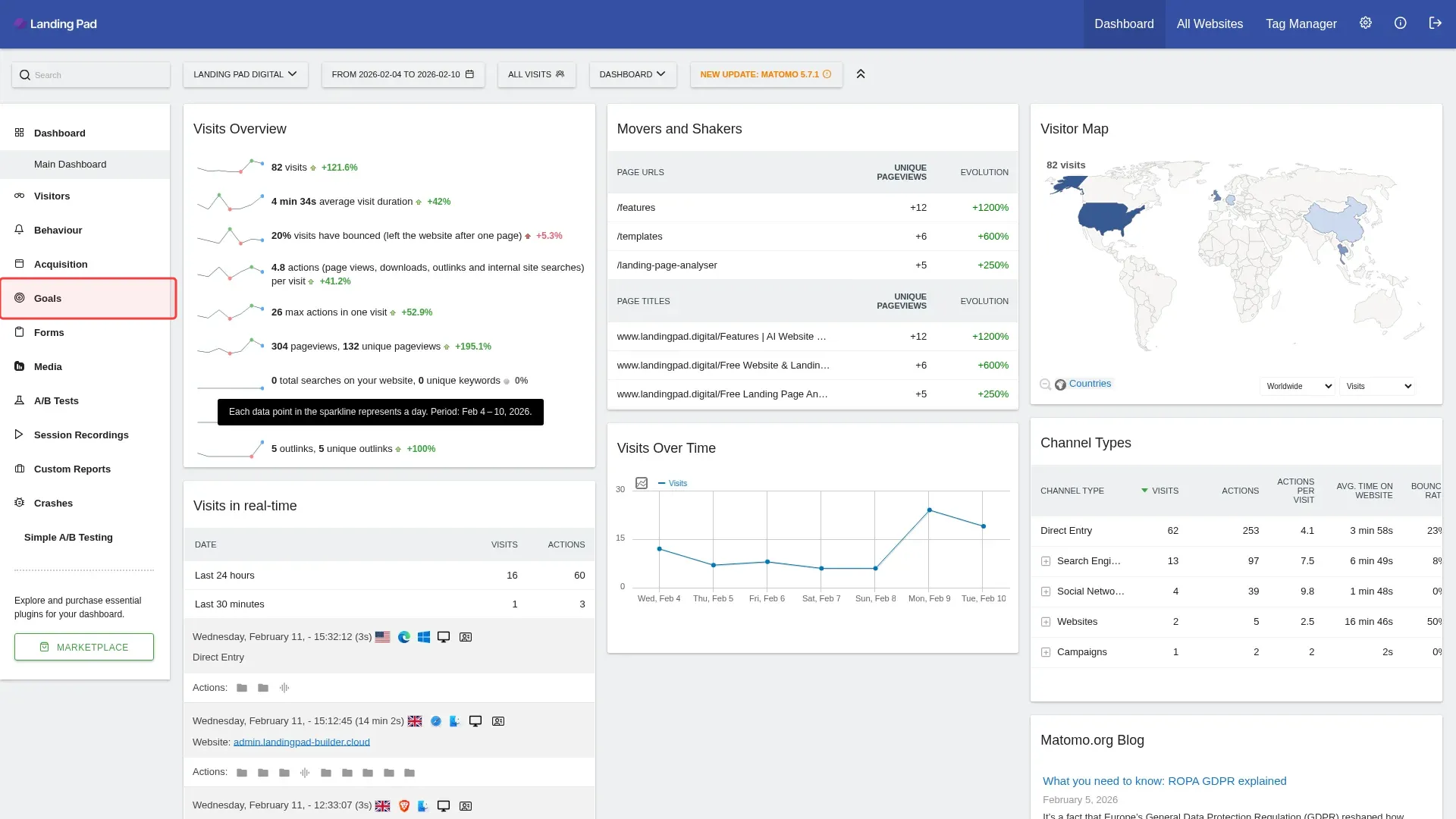
Step 2: Click 'Goals' in left sidebar to access goals section.

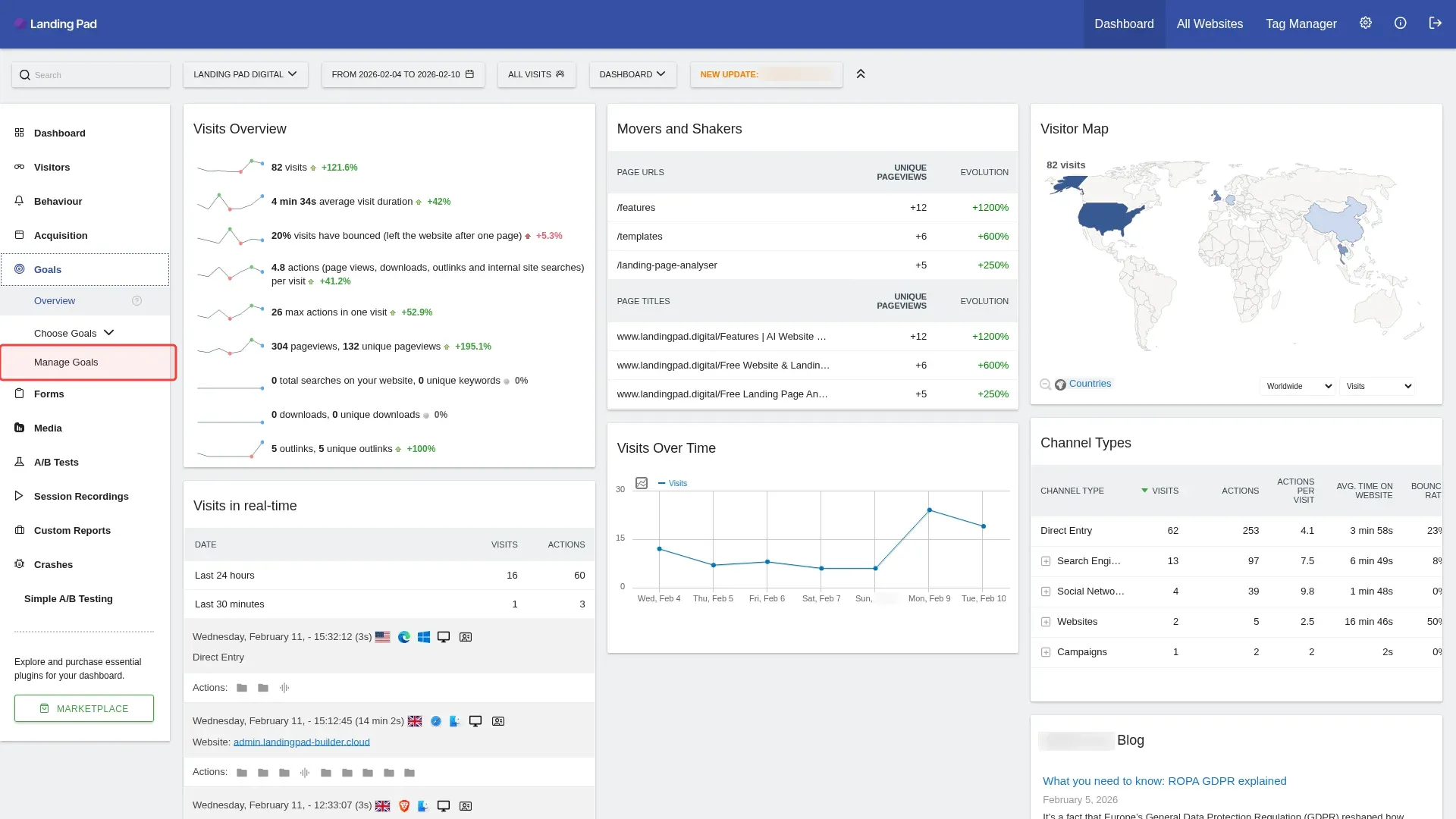
Step 3: Click 'Manage Goals' in the sidebar to access goal management.

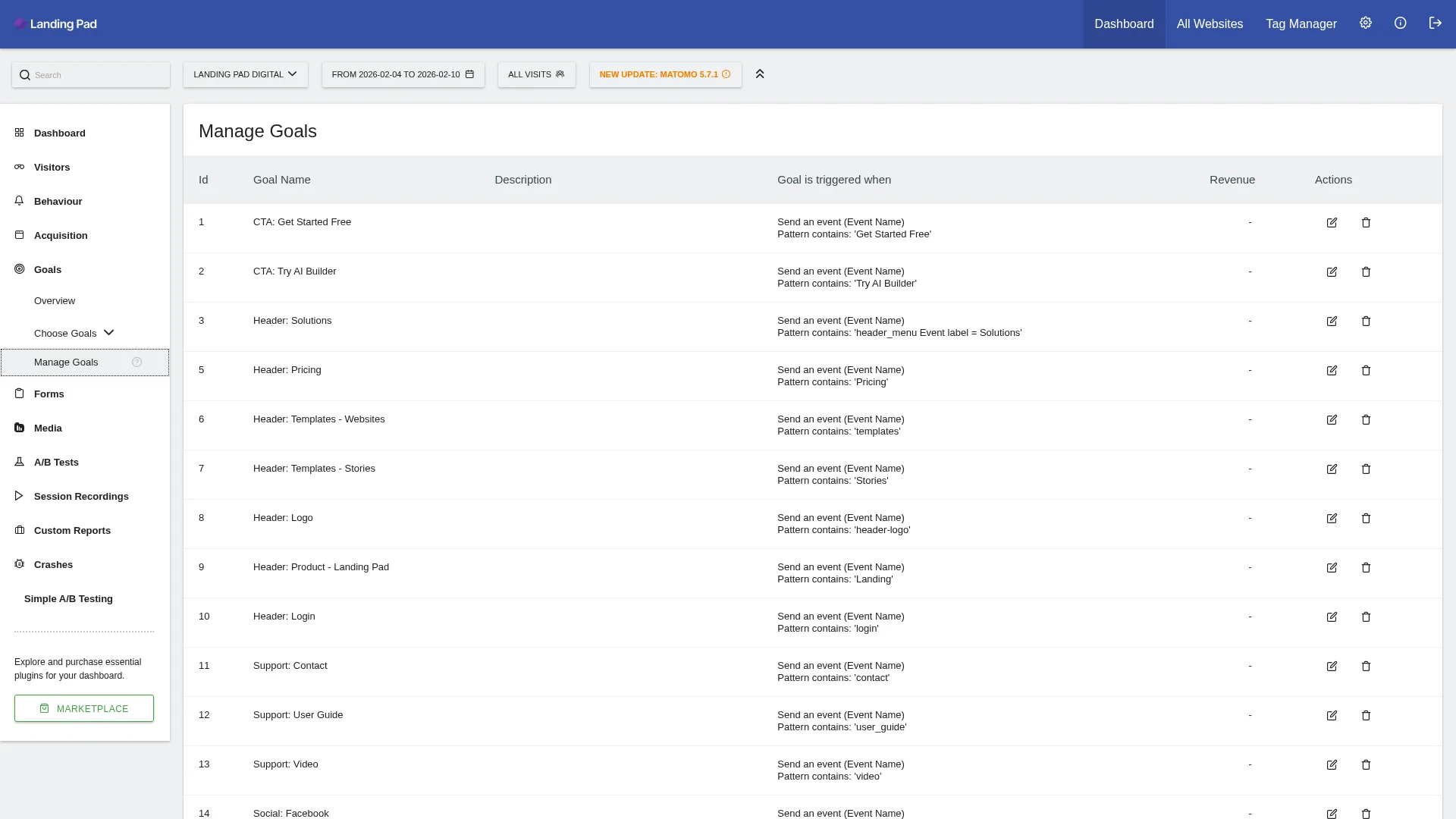
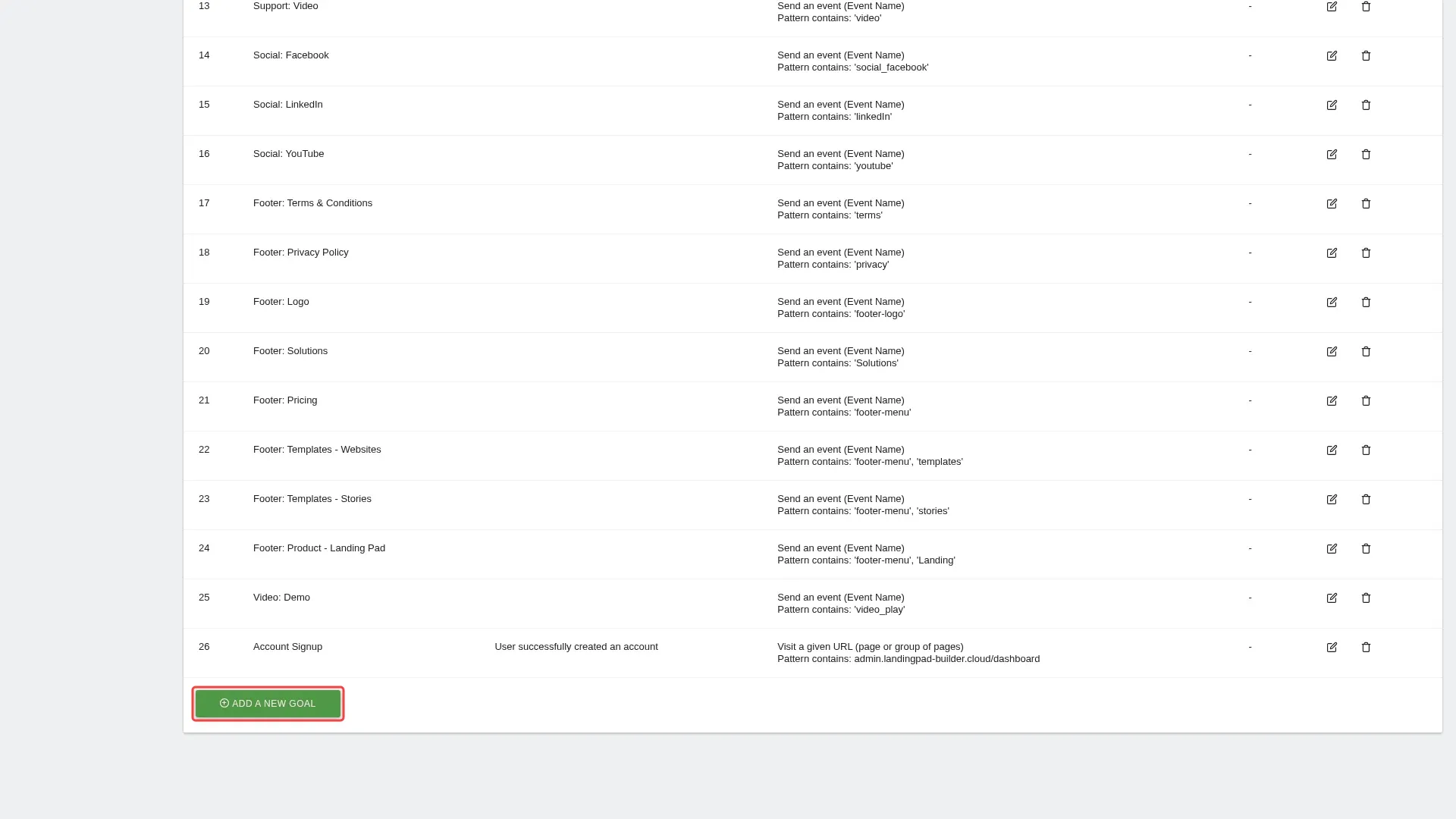
Step 4: Scroll down to find the 'Add a new Goal' button.

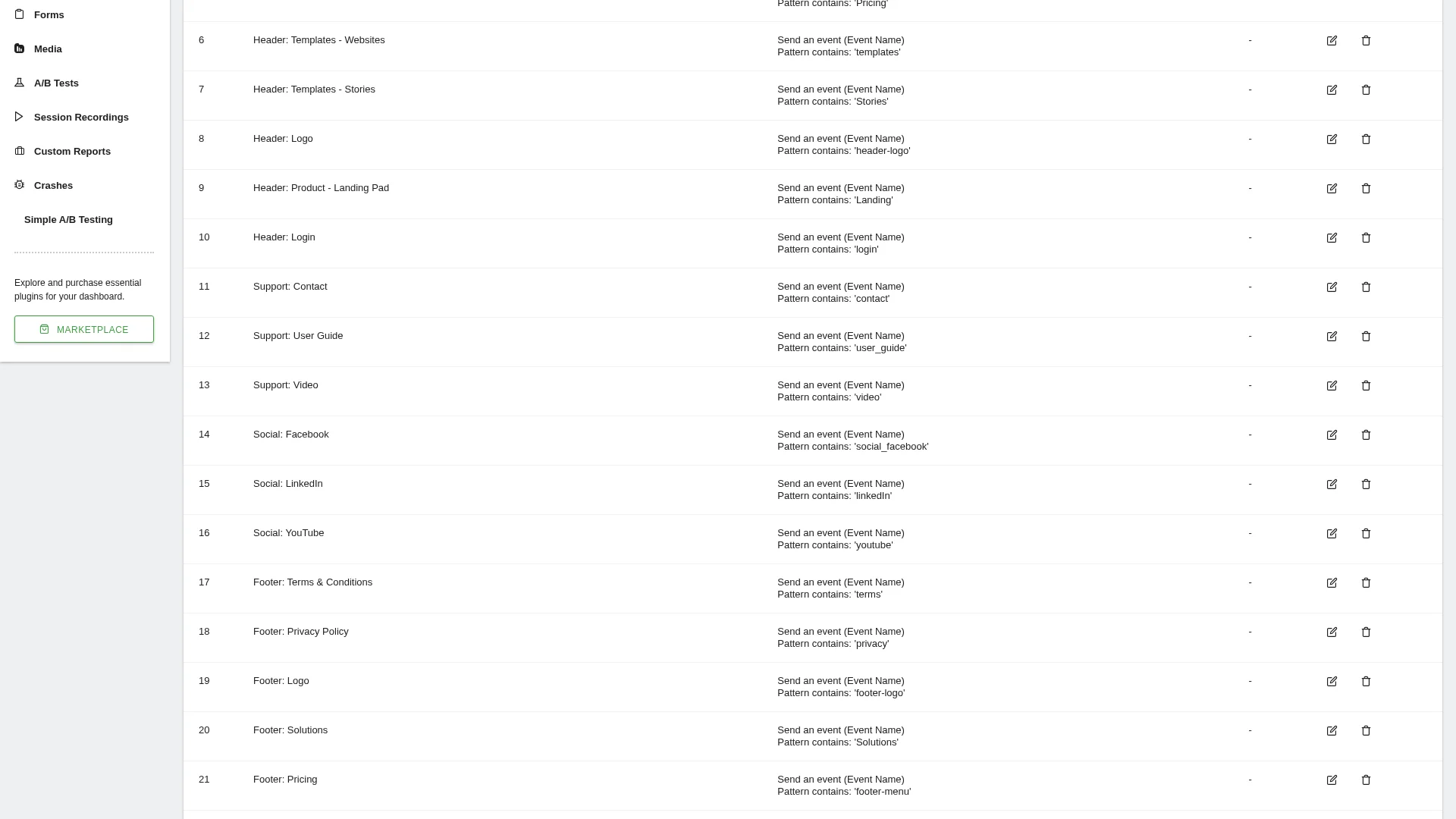
Step 5: Scroll down to find 'Add a new Goal' button.

Step 6: Click 'Add a new Goal' button to start creating.

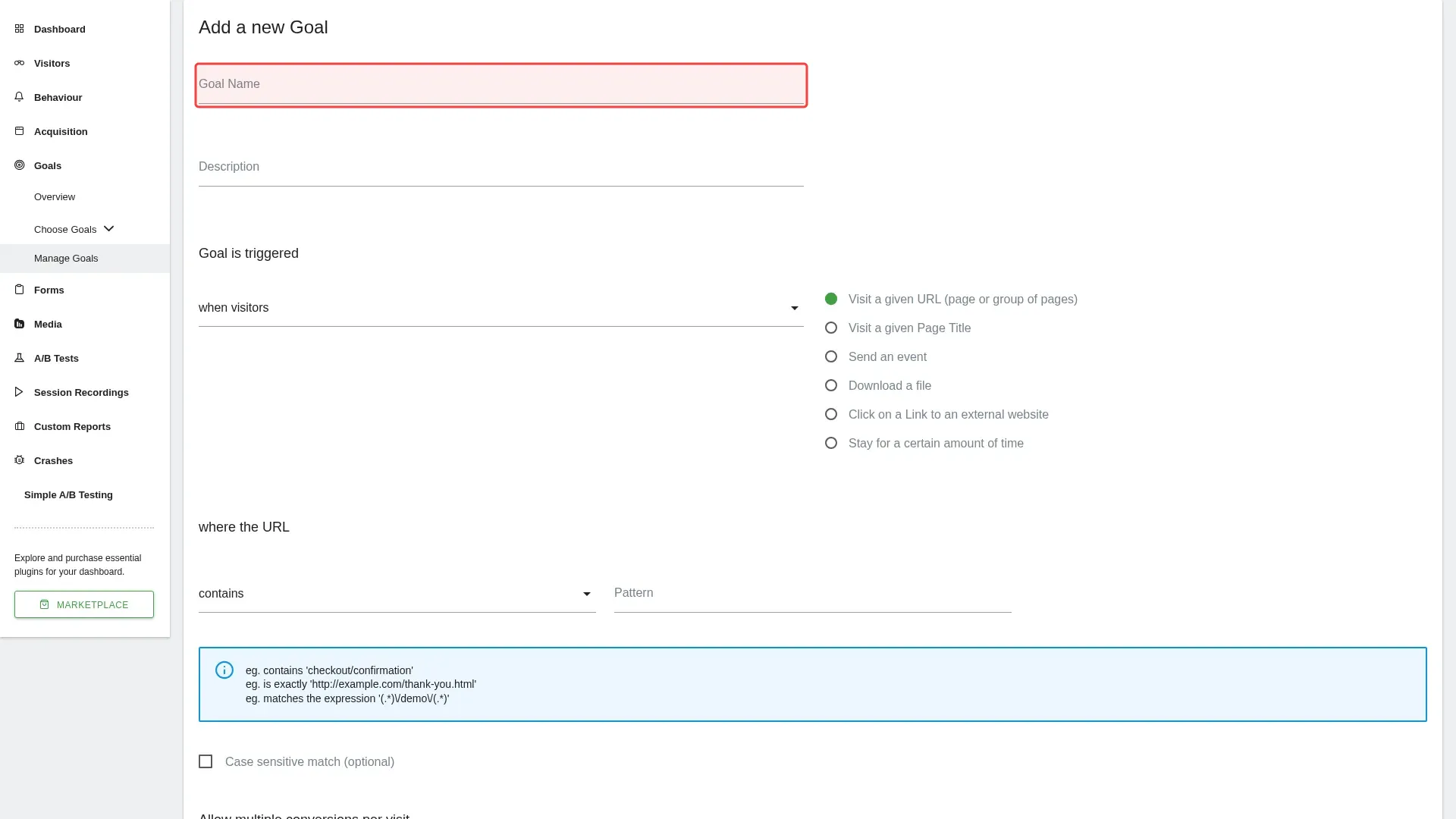
Step 7: Type 'Newsletter Signup' in the Goal Name field.

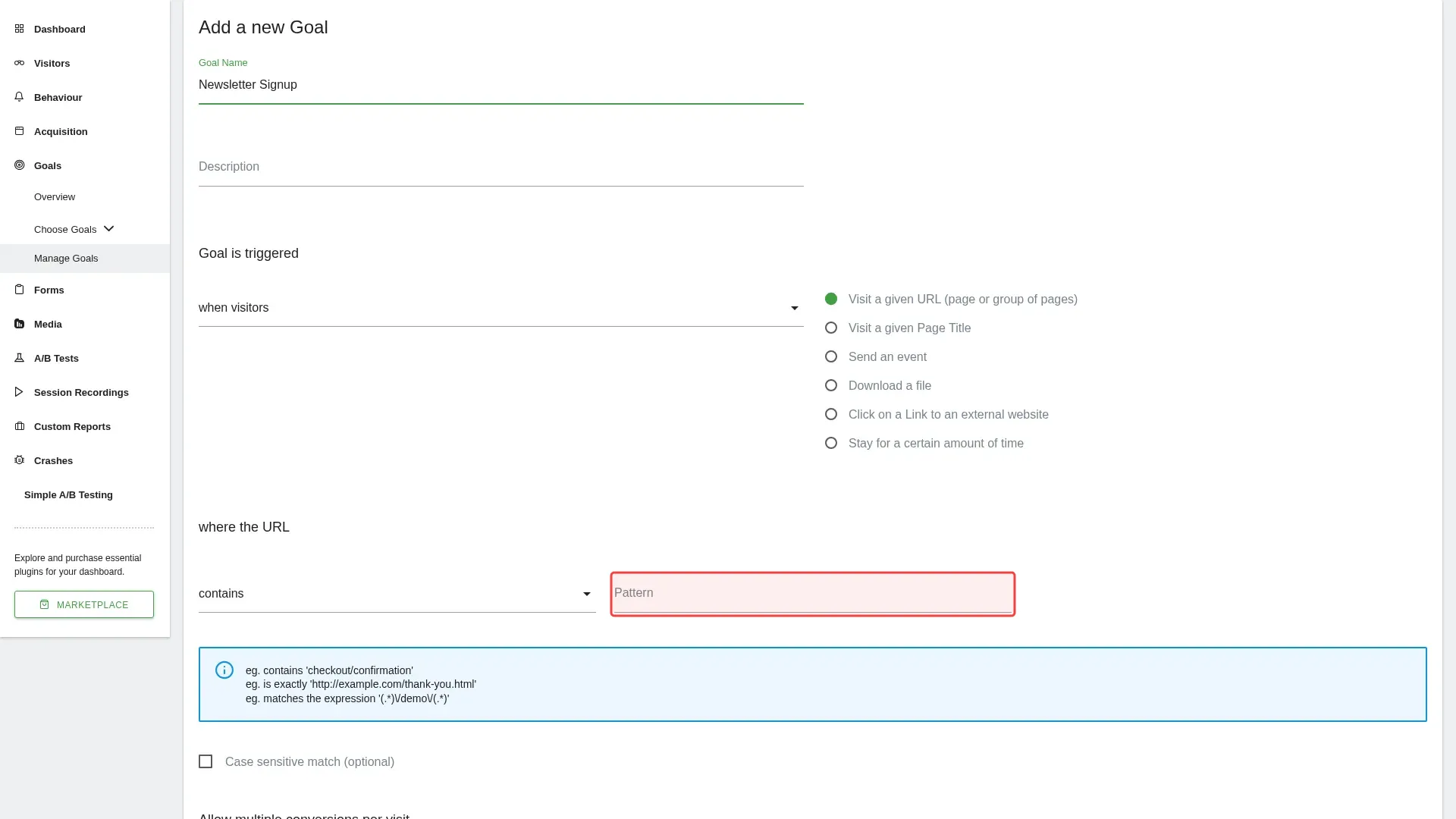
Step 8: Type 'thank-you' in the pattern field to track the thank-you page.

Tutorial complete.

Step-by-Step Guide

1

Click 'View reports' to access website analytics dashboard.
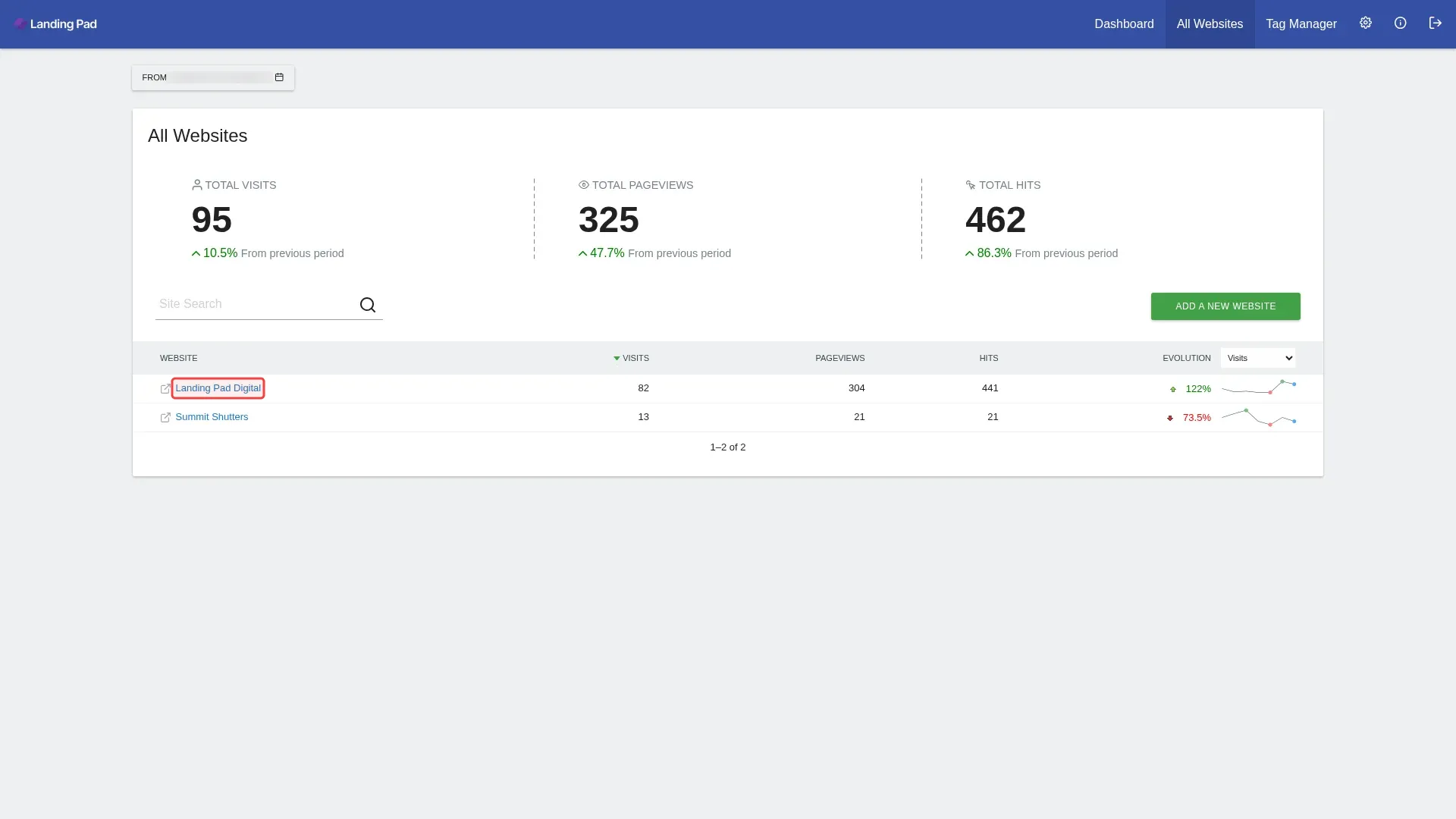
Screenshot showing clicking View reports to access website analytics dashboard
2

Click 'Goals' in left sidebar to access goals section.

Screenshot showing clicking Goals in left sidebar to access goals section
3

Click 'Manage Goals' in the sidebar to access goal management.

Screenshot showing clicking Manage Goals in the sidebar to access goal management
4

Scroll down to find the 'Add a new Goal' button.

Screenshot showing scrolling down to find the Add a new Goal button
5

Scroll down to find 'Add a new Goal' button.

Screenshot showing scrolling down to find Add a new Goal button
6

Click 'Add a new Goal' button to start creating.

Screenshot showing clicking Add a new Goal button to start creating
7

Type 'Newsletter Signup' in the Goal Name field.

Screenshot showing typing Newsletter Signup in the Goal Name field
8

Type 'thank-you' in the pattern field to track the thank-you page.

Screenshot showing typing thank-you in the pattern field to track the thank-you page