1
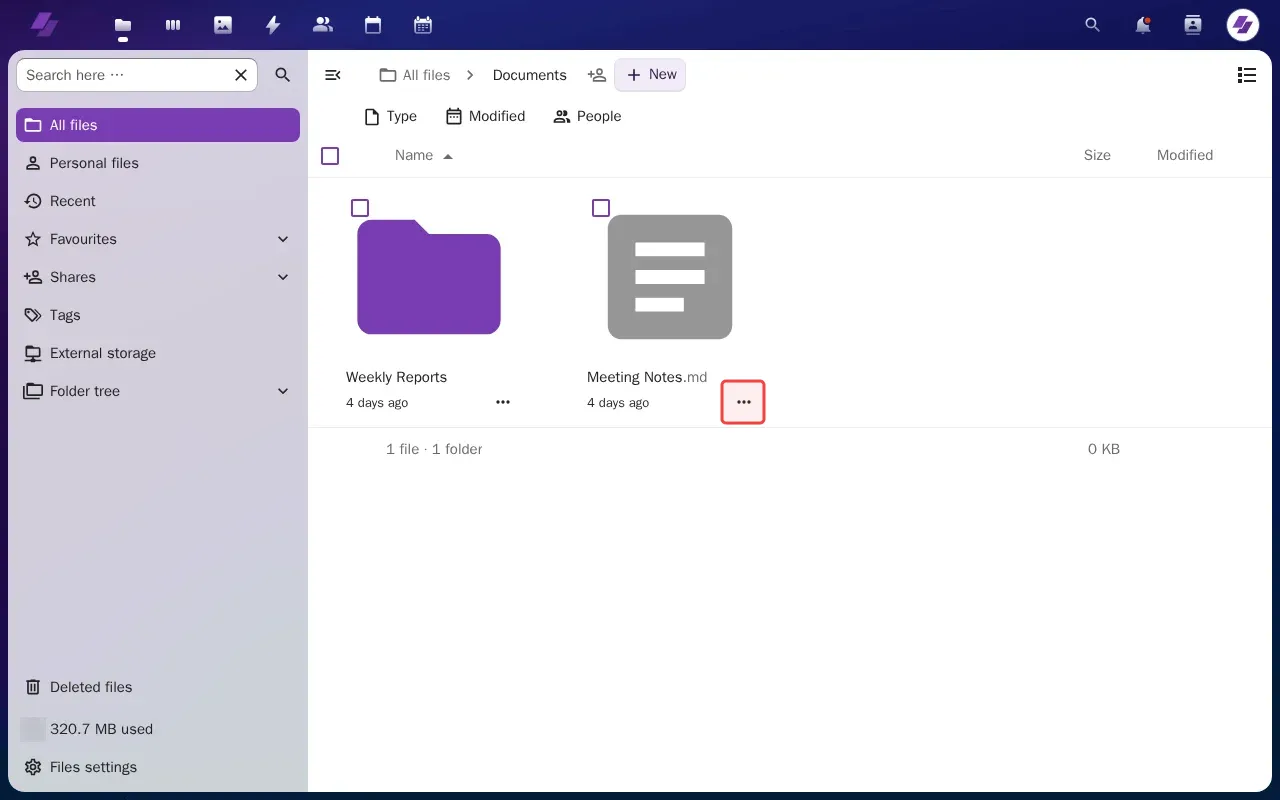
Click Documents folder to open it and find files.
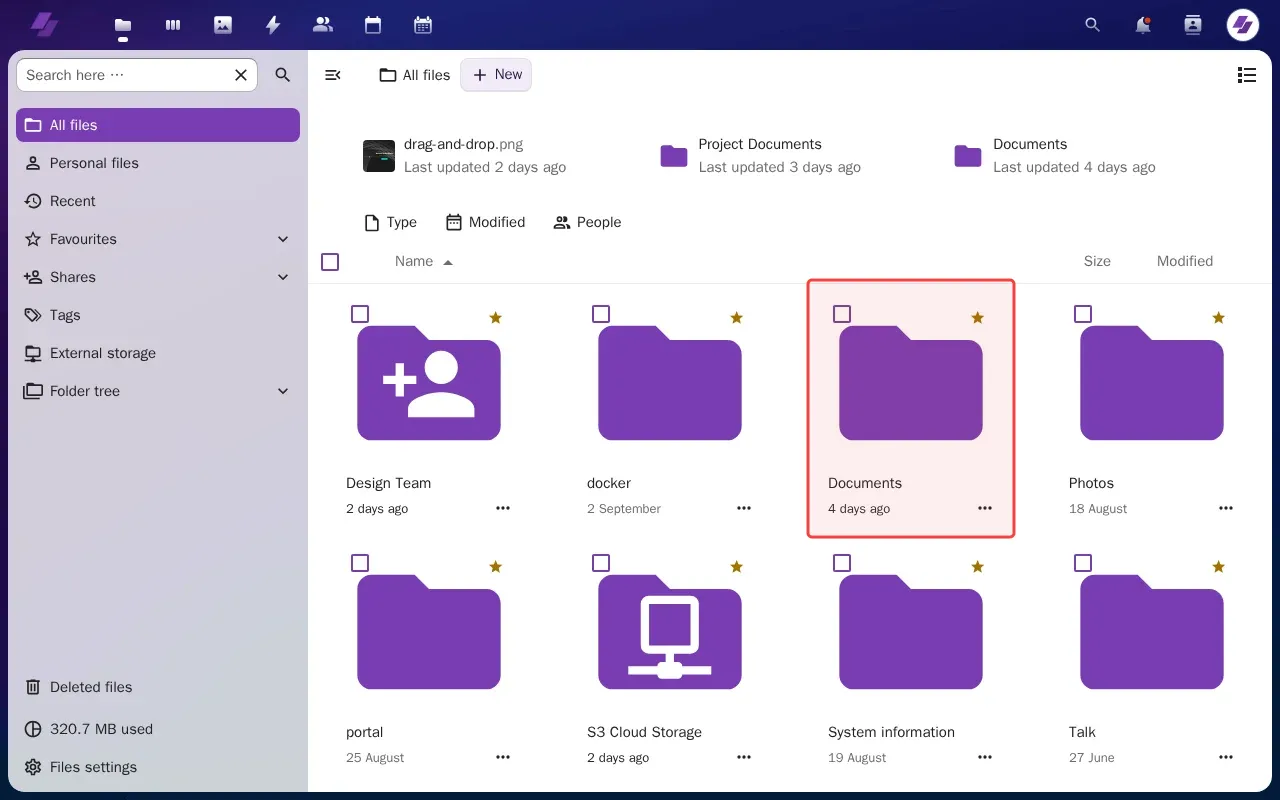
Step 1: Click Documents folder to open it and find files.
Step 2: Click Actions menu for Meeting Notes file.
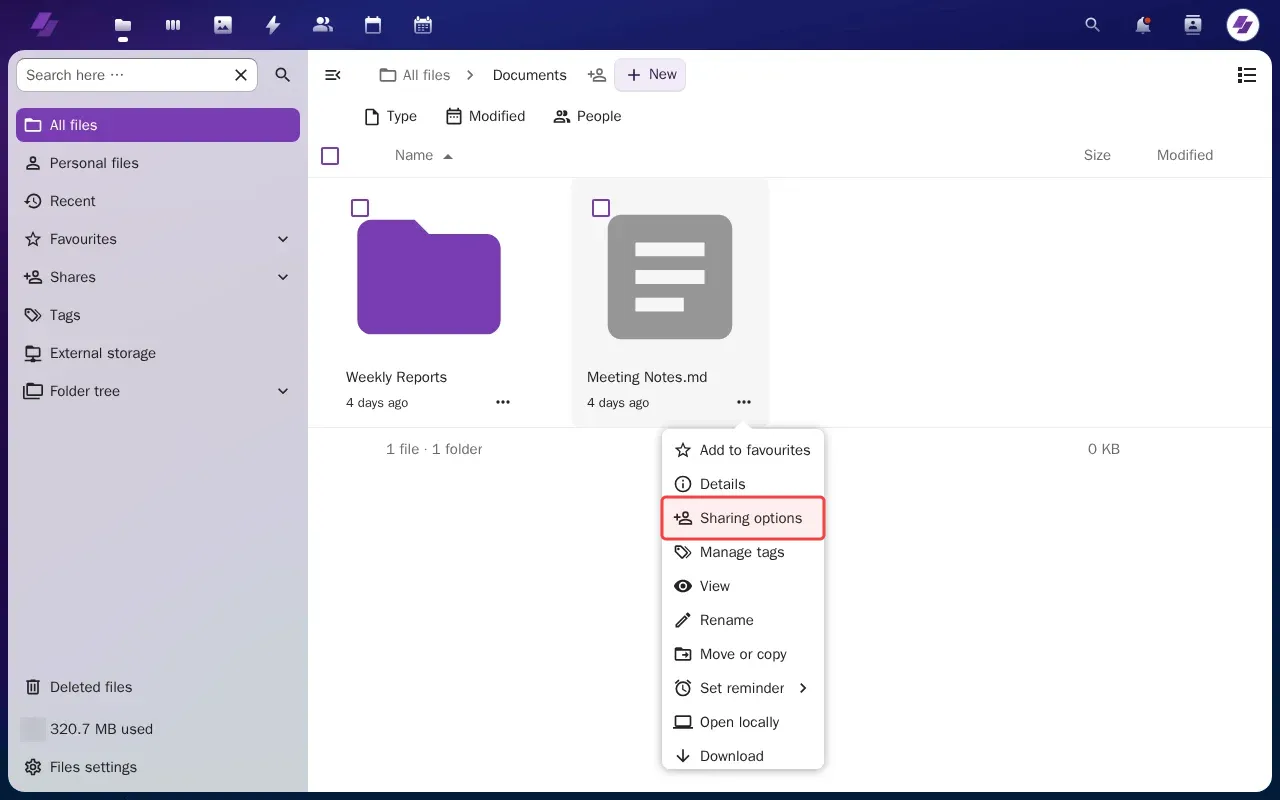
Step 3: Click 'Sharing options' to open file sharing settings.
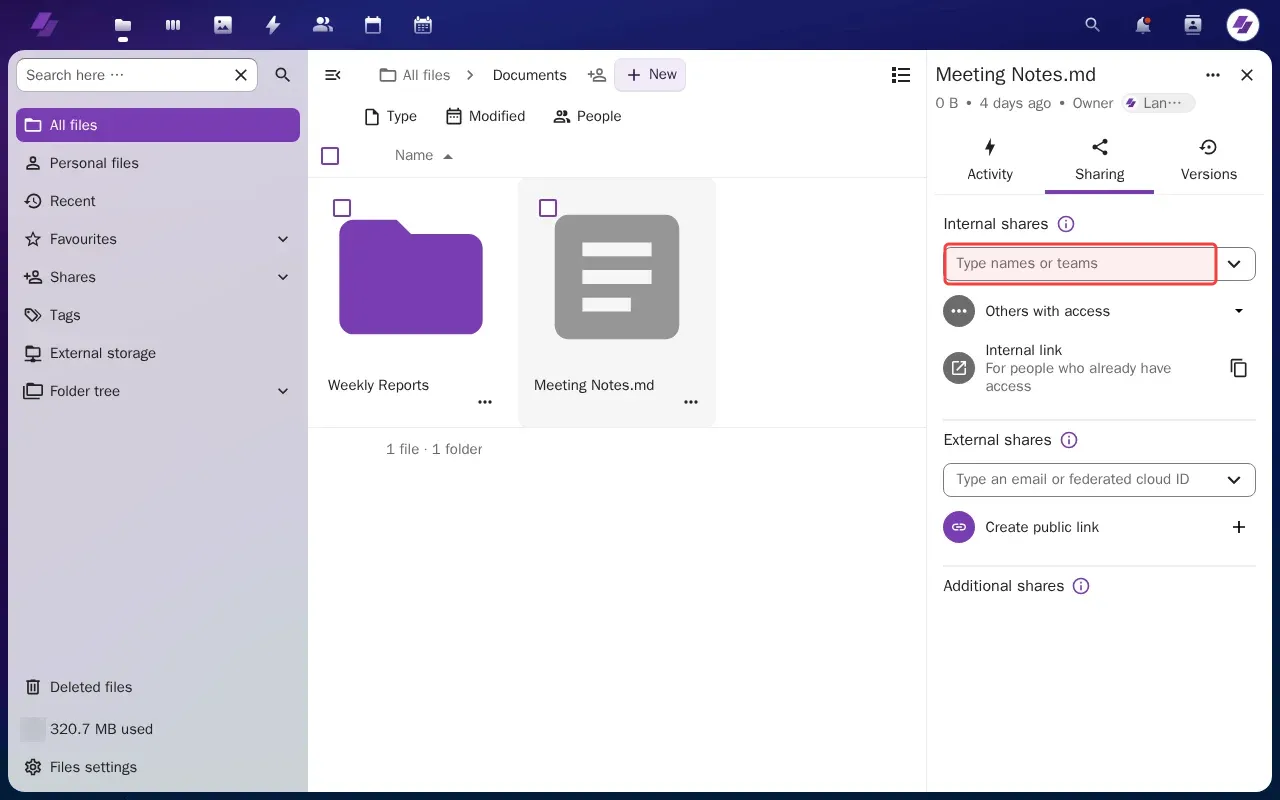
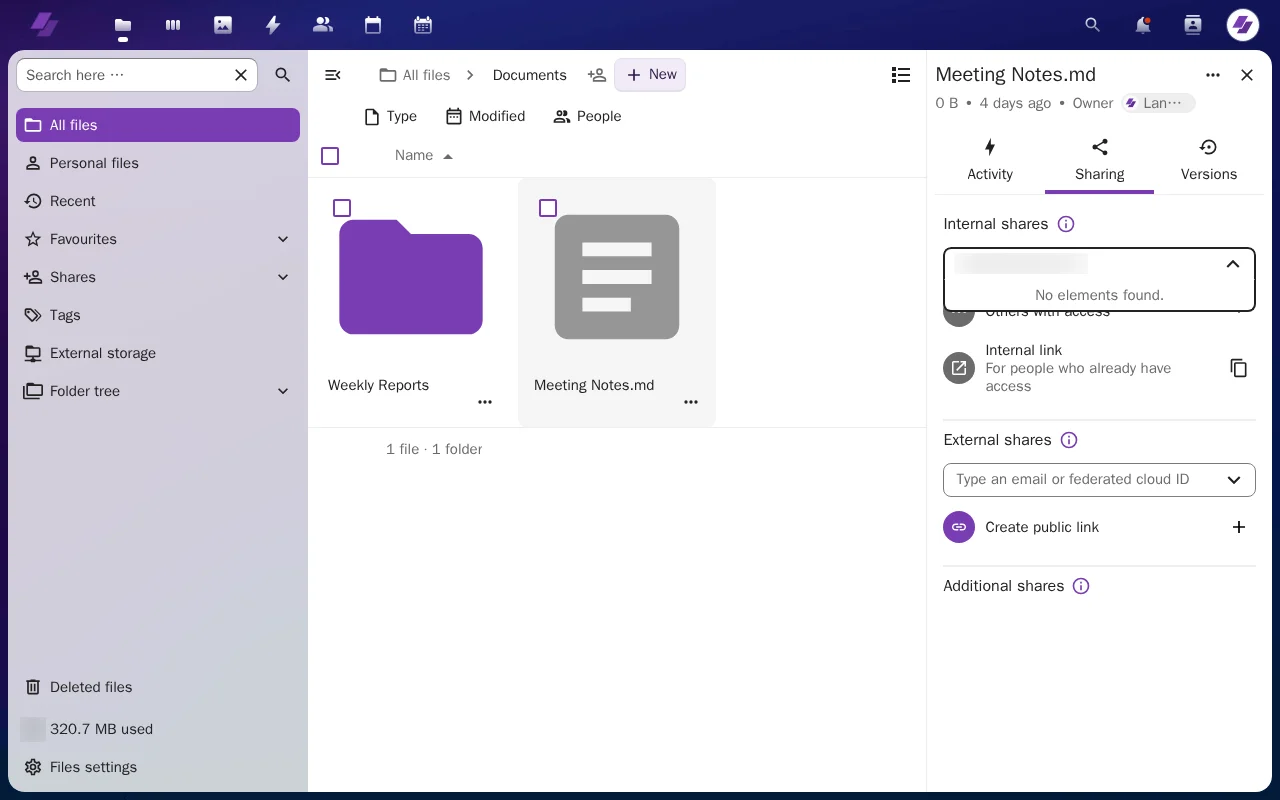
Step 4: Type email address in the sharing field.
Step 5: Scroll to find the Share button to complete sharing.
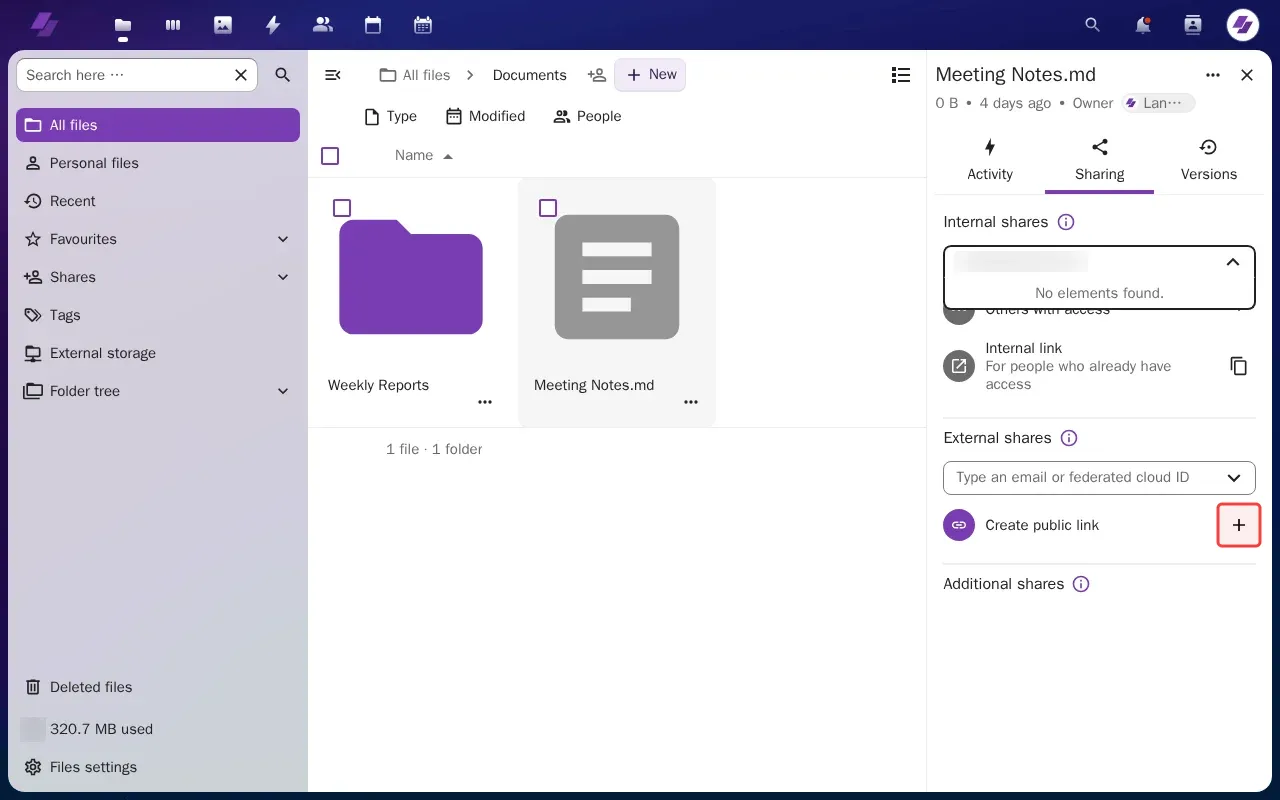
Step 6: Click '+' button to create the share.
Tutorial complete.